Sign it yourself, free
Add a document, type or draw your signature and download the signed copy. Signing your own document costs nothing.

Sign documents online in a couple of minutes. Add a Word file, PDF or scan, or pick a Google Doc, let ReadyInk place the fields, then sign it yourself for free or send it to the people who need to sign.
By the ReadyInk team · Updated
Add a document, type or draw your signature and download the signed copy. Signing your own document costs nothing.
Add the people who need to sign. They get a link by email and sign in their browser, with no account.
Completed documents include a completion certificate and an audit history of who signed and when.
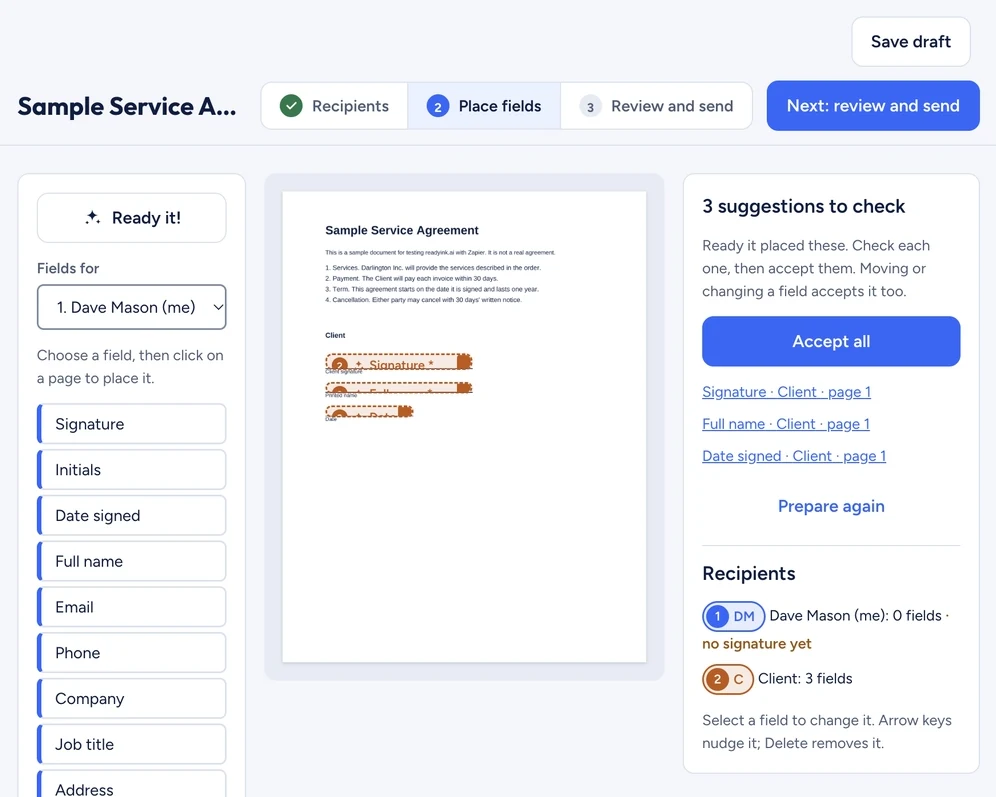
To sign documents online, add a Word file, PDF or scan, or pick a Google Doc in ReadyInk, let AI place the signature, date and text fields, then type or draw your signature and download the signed copy. Signing your own document is free. To get others to sign, add them as signers; each uses 1 token, and they sign from a link without an account.
Almost anything you'd otherwise print, sign and scan:
Yes. ReadyInk takes Word files (.doc and .docx), PDFs, Rich Text (.rtf), OpenDocument text (.odt), JPG and PNG images, and Google Docs. Add a Word file as it is: there's no need to save it as a PDF first. ReadyInk turns it into a fixed-layout copy for you, the step Microsoft describes in its guide to saving Office files as PDF, so every signer sees the same pages. If the document is on paper, take a photo or scan it as a JPG or PNG and add that.
| Print, sign and scan | Sign online with ReadyInk | |
|---|---|---|
| What you need | A printer, a pen and a scanner | A browser on any device |
| Time | Often a trip to the printer and back | A couple of minutes |
| Filling in details | Handwriting, which can be hard to read | Typed text, dates and checkboxes |
| Sending it back | Attach a scan to an email | Download it, or send it through ReadyInk |
| Record | The scan | Signed PDF, completion certificate and audit history |
Signing online gets more useful when someone else has to sign too. Add each signer's name and email, and ReadyInk sends them a link. You can send to everyone at once or one after another, choose reminders every 3 or 7 days and set when the request expires. Signers sign in their browser without an account, and if you add a mobile number they confirm a text code first.
Tell people a request is coming before you send it, so they recognize the email. The FTC's tips on recognizing phishing scams explain why people are careful with unexpected links. For more on sending, see send documents for signature and how to get a contract signed online.
Signing your own document is free with Sign it yourself. Sending to others uses 1 token per signer: packs start at $10 for 20 tokens, and purchased tokens never expire. Copies to extra recipients and reminders don't use tokens, and failed sends are refunded. Teams pay $15 a month for 3 users and 30 shared monthly tokens.
Every completed document is stored with the signed PDF, a completion certificate and an audit history, and you can download them any time. The PDF Association describes PDF as a fixed-layout format that looks the same on any device, so the signed copy your customer downloads matches the one you keep. Only signing PDFs? See sign PDF online. Want it on your phone? See the electronic signature app page.
Yes. With ReadyInk, signing your own document is free: add it, type or draw your signature and download the signed copy. Sending it to other people uses 1 token per signer.
No. Signers open a link from their email and sign in their browser on any phone, tablet or computer, without creating an account.
Yes. Add the .doc or .docx file to ReadyInk as it is, with no need to save it as a PDF first. Google Docs can be sent directly, without downloading them.
Download the signed PDF and attach it to your reply. If you send it through ReadyInk instead, every signer gets the signed copy with its completion certificate automatically.
Create your ReadyInk account in seconds. Start with a $10 token pack or set up your team.